

Summary
The Summary tab is the default view of a survey’s detail page. It shows the survey’s aggregated results — a set of metric cards and an AI analysis at the top, followed by a per-question breakdown.
Filter
Section titled “Filter”At the top, the Filter control scopes which results are shown. By default it is set to All results; you can change or remove it to narrow the data displayed in this tab.
Metric cards
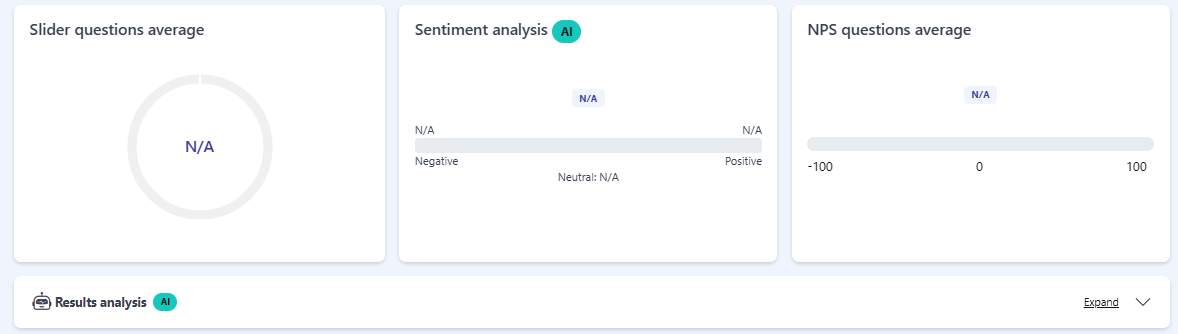
Section titled “Metric cards”Three cards summarize the survey’s results:
- Slider questions average — a circular gauge showing the average of the survey’s slider and scale questions.
- Sentiment analysis — marked with an AI badge. It shows a scale from Negative to Positive, plus a Neutral value, derived by AI from the text answers.
- NPS questions average — the average NPS score on a -100 to 100 scale.
Results analysis
Section titled “Results analysis”Below the cards, the Results analysis block — also marked with an AI badge — provides an automatic written analysis of the survey’s results. Use Expand to open it and read the full analysis.
Per-question breakdown
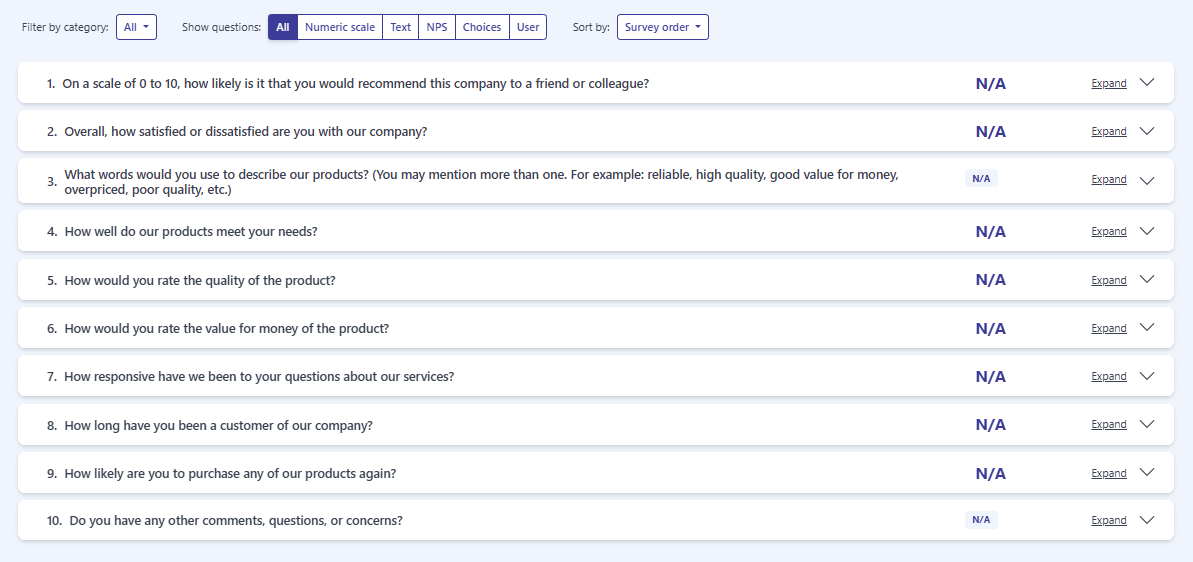
Section titled “Per-question breakdown”Below the analysis, each question is listed with its result. Three controls let you focus the list:
- Filter by category: — a dropdown to show only the questions from a chosen category. The default is All.
- Show questions: — a toggle group to show questions of a single type: All, Numeric scale, Text, NPS, Choices, or User.
- Sort by: — a dropdown to change the order of the list. The default is Survey order.
Each question appears as a row showing its number, the question text, and its aggregated value or result. Use Expand on a row to see that question’s detailed breakdown (its response distribution).
When there are no responses
Section titled “When there are no responses”Until the survey has responses, the metric cards and the per-question values show N/A, and expanding a question shows no data.
Frequently asked questions
What does the Summary tab show?
Aggregated results across three metric cards, an AI results analysis, and a per-question breakdown.
Why do I only see N/A?
The survey has no responses yet. The metric cards and per-question values show N/A until responses come in.
When is the AI results analysis available?
The Results analysis is generated once the survey is Closed.