

Organization Profile
The Organization Profile page lets you configure the basic settings of your organization: its name, logo, language, and time zone.
To access it, go to Organization → Profile in the left sidebar.
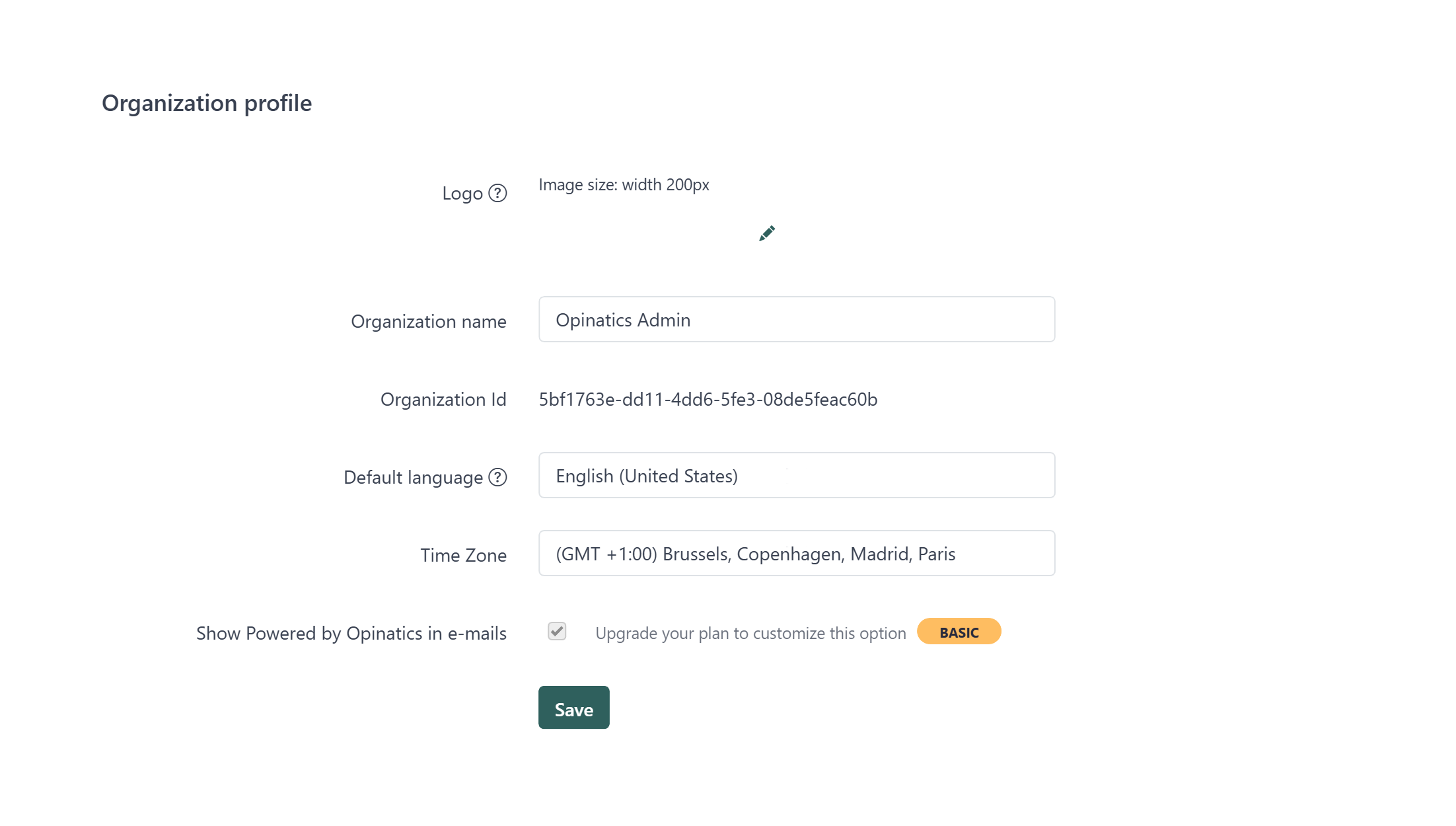
Fields
Section titled “Fields”Your organization’s logo appears in emails sent to your respondents. The recommended image width is 200px.
To change it, click the pencil icon next to the current logo and upload a new image.
Organization name
Section titled “Organization name”The display name of your organization. This name may appear in surveys and email communications.
Organization ID
Section titled “Organization ID”A unique identifier automatically assigned to your organization. This value is read-only and cannot be changed.
Default language
Section titled “Default language”The language used by default across your surveys and email templates. You can change it using the dropdown menu.
Time zone
Section titled “Time zone”Sets the reference time zone for your organization. This affects how dates and timestamps are displayed in reports and analysis.
Show “Powered by Opinatics” in emails
Section titled “Show “Powered by Opinatics” in emails”Controls whether the Opinatics branding appears in the footer of emails sent to respondents.
Save your changes
Section titled “Save your changes”- Make the desired changes to any of the fields above.
- Click the Save button at the bottom of the form.
- A confirmation message will appear once your settings have been saved.
Frequently asked questions
Where do I change my organization's logo?
Go to Organization → Profile, click the pencil icon next to the current logo, and upload a new image. The recommended image width is 200px.
Can I remove the "Powered by Opinatics" branding from emails?
Yes, but only on paid plans. On the Free plan the branding is always shown in the email footer.
Does changing the time zone affect data already collected?
No. Changing the time zone does not retroactively affect data that was already collected.
Can I change my Organization ID?
No. The Organization ID is assigned automatically and is read-only.