

Responses
The Responses tab is the third view of a survey’s detail page. It shows the individual responses submitted to the survey, one respondent at a time — in contrast to the Summary tab, which aggregates all responses together.
Navigating responses
Section titled “Navigating responses”A navigator bar at the top of the tab lets you move between individual responses:
- Respondent — a numeric selector (for example, 1) with previous and next arrows (‹ ›) to step through the responses one at a time.
- A respondent selector showing who answered. For an Anonymous survey it shows Anonymous user, because the respondent cannot be identified. For a non-anonymous survey, it identifies the respondent.

Reading a response
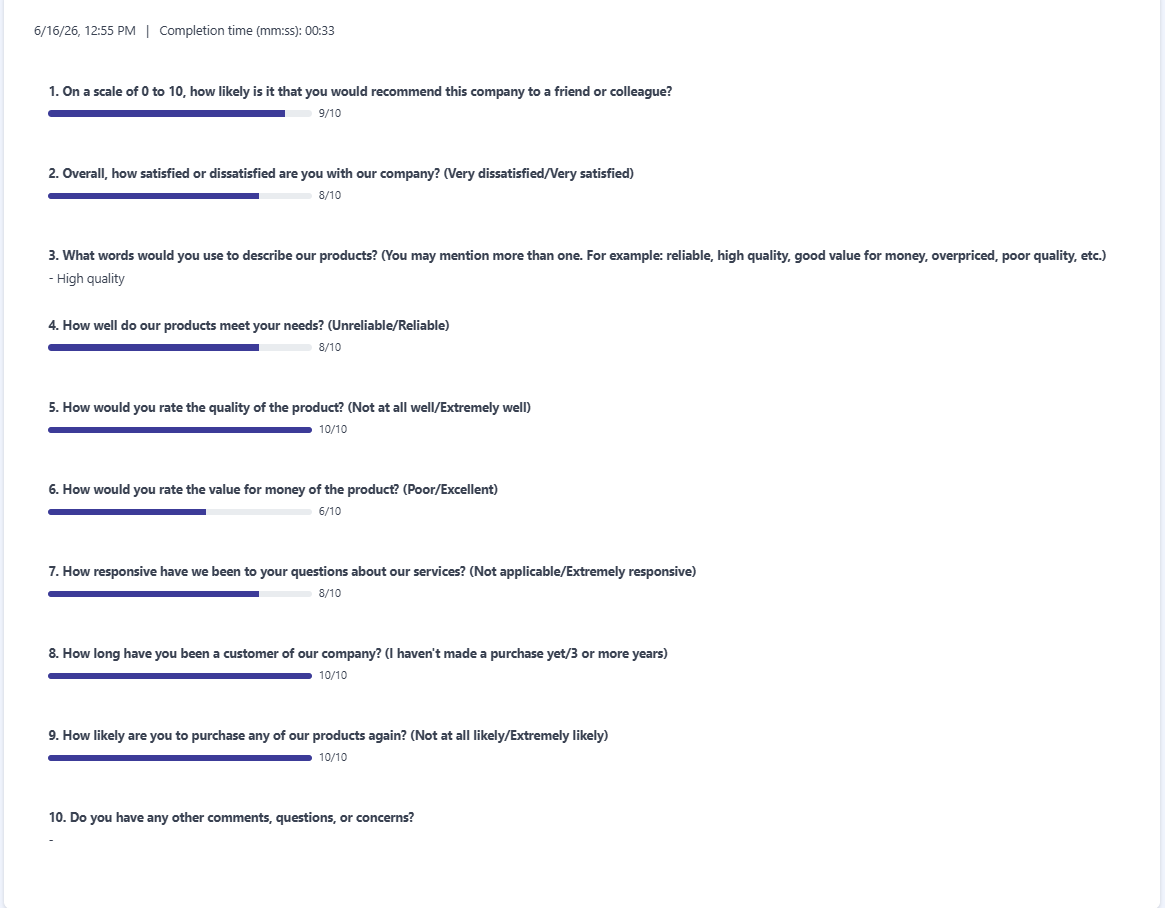
Section titled “Reading a response”For the selected response, the tab shows when it was submitted — the date and time, and the Completion time (mm:ss):, which is how long the respondent took to complete the survey.
Below that, each question is listed with that respondent’s answer:
- Scale and numeric questions appear as a filled bar with a value (for example, 9/10).
- Free-text questions appear as the written text the respondent entered (for example, - High quality).
Exporting and connecting data
Section titled “Exporting and connecting data”Two buttons in the navigator bar let you take the response data elsewhere:
- Download responses — downloads the responses. (This button has a dropdown with download options.)
- Connect data to a service — sends the response data to an external service.
When there are no responses
Section titled “When there are no responses”When the survey has no responses, the tab shows the message There are no responses yet.
Frequently asked questions
What does the Responses tab show?
The individual responses submitted to the survey, one respondent at a time, rather than the aggregated view in the Summary tab.
Who is the respondent on an anonymous survey?
For an anonymous survey the respondent is shown as Anonymous user and cannot be identified. A non-anonymous survey identifies each respondent.
Can I download the responses?
Yes. Use Download responses to download them, or Connect data to a service to send the data to an external service.