

Deleted Users
The Deleted tab shows all users who have been removed from your organization. You can review their details and restore them if needed.
To access it, go to Organization → Users in the left sidebar, then click the Deleted tab.
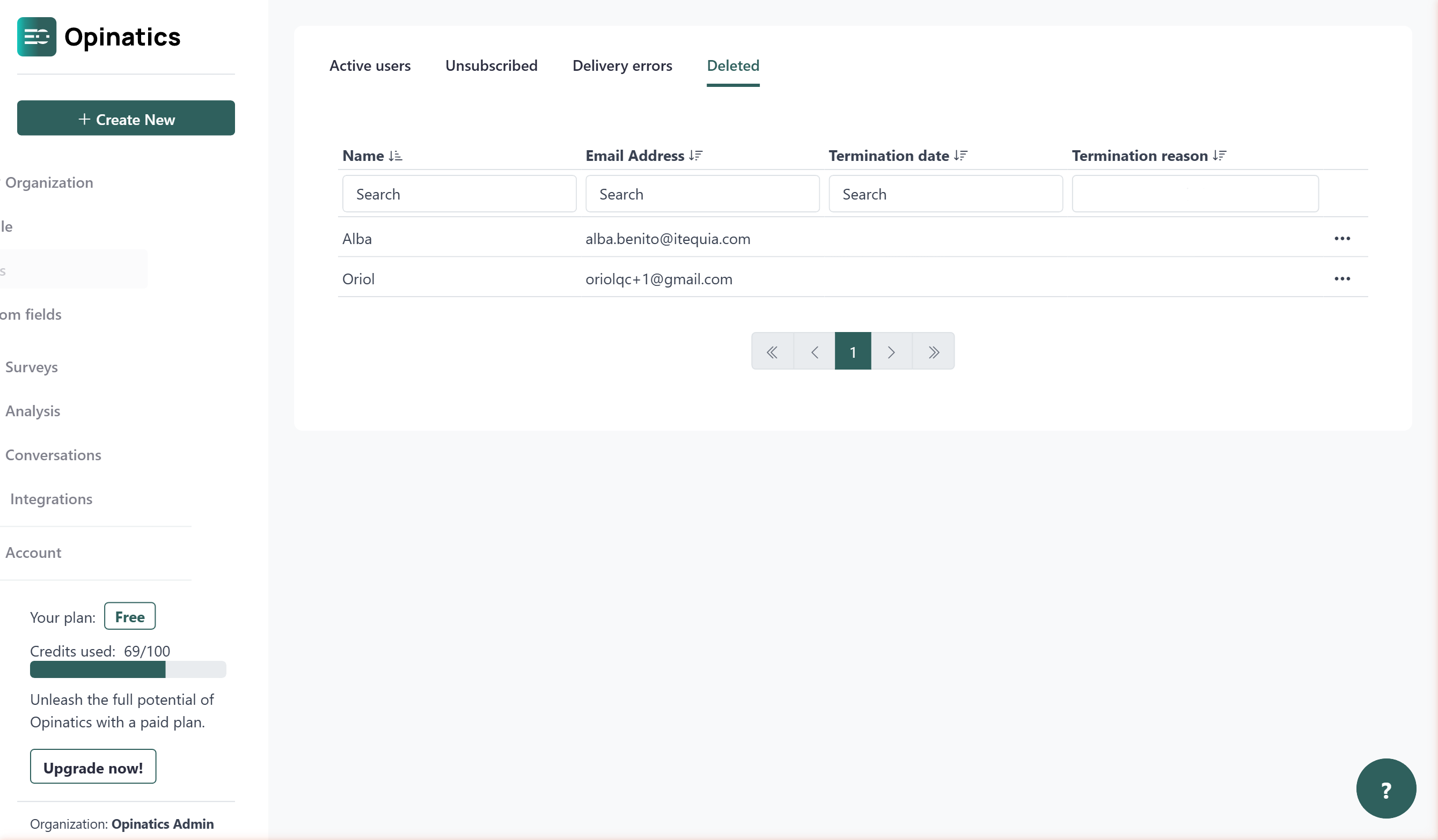
The deleted users list
Section titled “The deleted users list”The deleted users table shows the following information for each user:
- Name — the user’s full name.
- Email Address — the email address associated with the user.
- Termination date — the date the user was deleted from the organization.
- Termination reason — the reason recorded at the time of deletion, if any.
Search and filter
Section titled “Search and filter”You can narrow down the list using the fields at the top of the table:
- Type in the Name search box to filter by name.
- Type in the Email Address search box to filter by email.
- Type in the Termination date search box to filter by date.
- Use the Termination reason dropdown to filter by reason.
Sorting
Section titled “Sorting”Click the column headers Name, Email Address, Termination date, or Termination reason to sort the list in ascending or descending order.
Pagination
Section titled “Pagination”If your organization has many deleted users, the list is split across multiple pages. Use the navigation controls at the bottom of the table to move between pages.
Individual user actions
Section titled “Individual user actions”Each row in the table has a ··· icon on the right side. Click it to access the available action for that user:
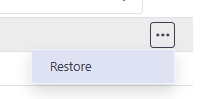
Restore
Section titled “Restore”Moves the user back to the Active users list. They will be able to receive surveys again once restored.
Frequently asked questions
How do I restore a deleted user?
Open the ··· menu on the user's row in the Deleted tab and choose Restore. They move back to Active users and can receive surveys again.
Does restoring a user bring back their permissions?
No. Restoring does not re-assign previous permissions, so review the user's profile afterward to confirm the correct ones are set.
What information is shown for deleted users?
Name, Email Address, Termination date, and Termination reason.